
Customers and vehicles
- Customer records, with several vehicles per customer
- Plate, VIN, make, model, year and other vehicle details
- Service history per vehicle
Automotive workshops
Garage management for independent New Zealand workshops: bookings, work orders, invoices, WOF reminders, parts and loan cars, on desktop and iPad.
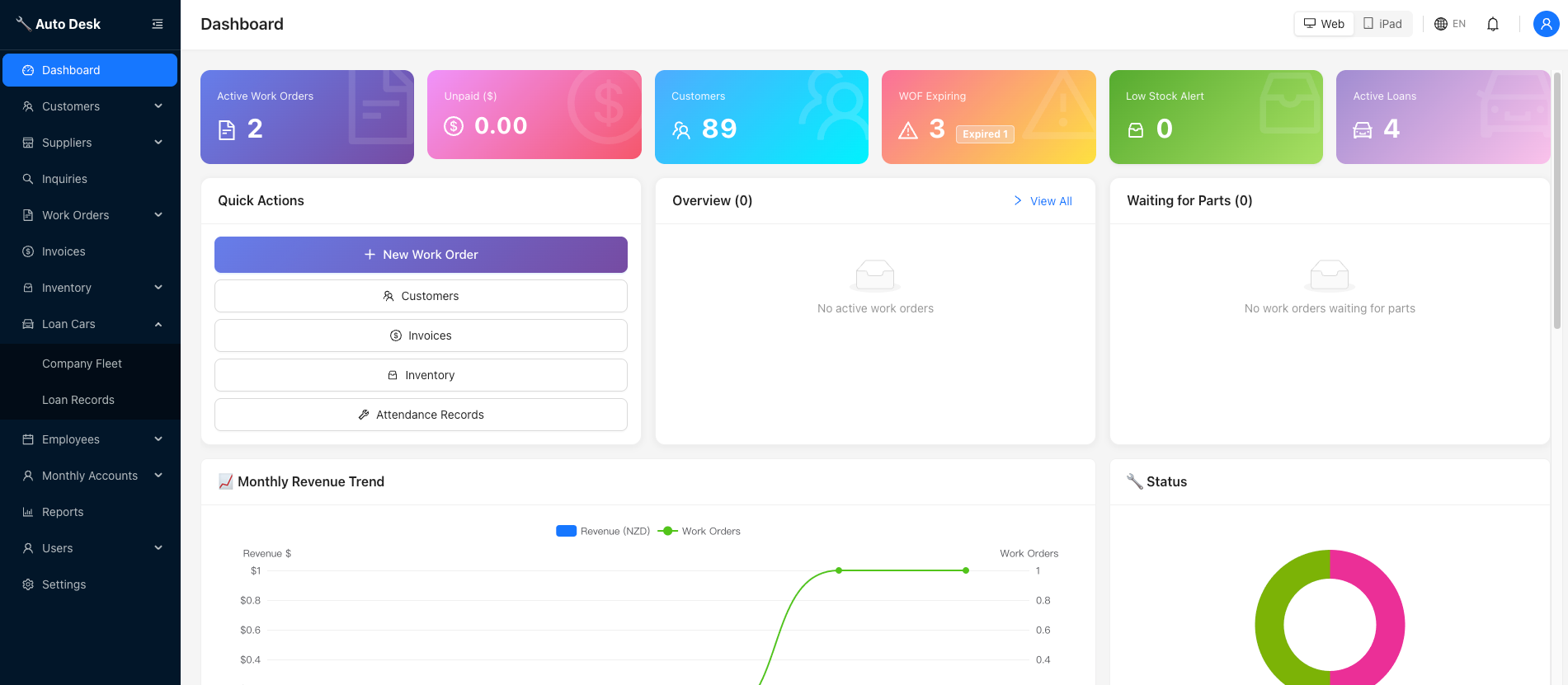
Overview
Built for independent garages and workshops in New Zealand, typically with 3 to 30 staff.
Auto Desk covers the day-to-day of a small workshop in one place: who is booked in, which cars are on the hoist, what is waiting on parts, what has been invoiced and who still owes you money.
It works the same on the front-desk computer and on an iPad on the workshop floor, with permissions deciding who can do what.
What it does
Connections
Connect your Xero account so invoicing stays in step with your accounts.
Take card payments on a Windcave terminal and have them recorded against the invoice.
FAQ
Yes. It lists WOFs that are expiring soon or overdue with the customer's contact details, tracks each WOF round, and lets you confirm a pass with the new expiry date.
Yes. Auto Desk can give customers an online booking link, and bookings can be turned into work orders.
Yes. You can connect your Xero account to Auto Desk so your invoicing and accounts stay in step.
Yes. Auto Desk runs on desktop and iPad with the same menus, features and permissions. The iPad layout is designed for touch.
Yes. You can keep a loan car fleet, record who has which car, and send customers a borrow link.
Get started
Book a short walkthrough and we will show you how it fits your business.